Canvas Viewer
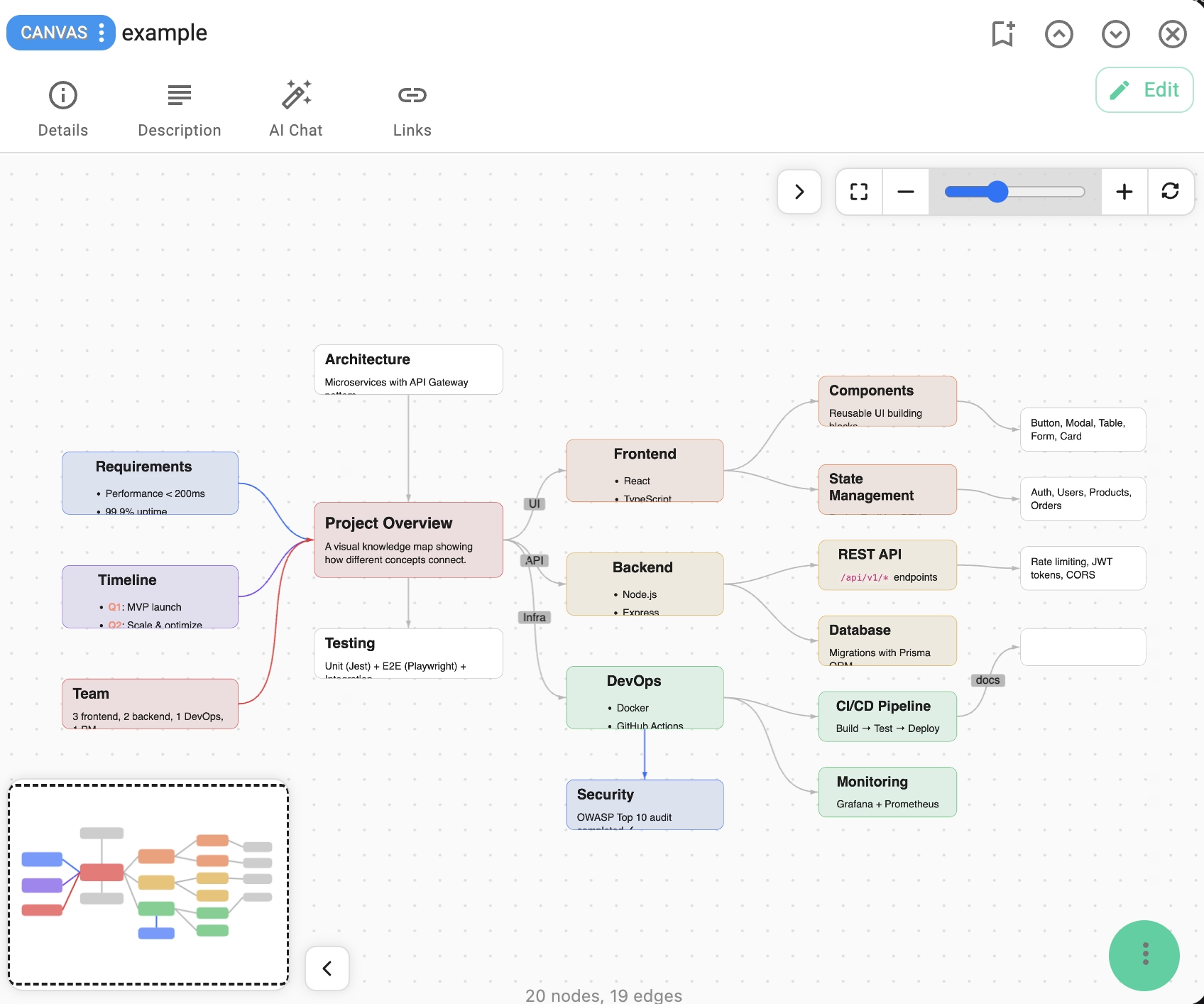
The Canvas Viewer extension allows you to open and explore .canvas files in TagSpaces. These files use the JSON Canvas format — an open specification for infinite canvas data, originally created by the team behind Obsidian.
This makes TagSpaces a convenient viewer for canvas files exported from Obsidian or any other tool that supports the JSON Canvas format.
What is JSON Canvas?
JSON Canvas is an open file format for storing visual knowledge maps. A .canvas file is a standard JSON document containing:
- Nodes — visual elements on the canvas (text, files, links, or groups)
- Edges — connections between nodes, optionally with labels
The format supports color coding, positioning, sizing, and markdown-formatted text content. The specification is open source and available on GitHub.
Features
- Interactive viewing of
.canvasfiles with pan and zoom - Zoom controls via buttons, slider, or mouse wheel
- Multi-touch pan and zoom on touch devices
- Minimap for quick orientation in large canvases
- Four node types: text (with markdown rendering), file, link, and group
- Color-coded nodes (7 color presets)
- Curved edges with arrows and optional labels
- Grid background for spatial orientation
- Light and dark theme support
- Fullscreen mode
- Print support with clean output (UI controls are hidden)
- Reset view with
Ctrl+0/Cmd+0
Supported Node Types
| Type | Description |
|---|---|
| Text | Markdown-formatted text content with color coding |
| File | Reference to a file, with optional subpath |
| Link | URL link to an external resource |
| Group | Container for grouping other nodes, with optional background styling |
Used Libraries
This extension relies on the following libraries:
- json-canvas-viewer — the core canvas rendering engine
- marked — markdown parser for text node rendering
- DOMPurify — HTML sanitization
- Bootstrap
- i18next
Installation
This extension is packaged with every version of TagSpaces.
Source Code
The source code of this extension is freely available on GitHub.
Development
If you want to extend this extension, please follow the extension development guide.