Link to files, folders and locations
TagSpaces supports linking between files, folders, and locations. You can place links in the description field of any file or folder, embed them directly in markdown or HTML file content, or use relative paths to connect related documents. This enables wiki-like navigation and cross-referencing within your file collections.
Creating Links
The context menu for every file and folder includes the option Copy Sharing Link, which generates an internal link and copies it to your clipboard.
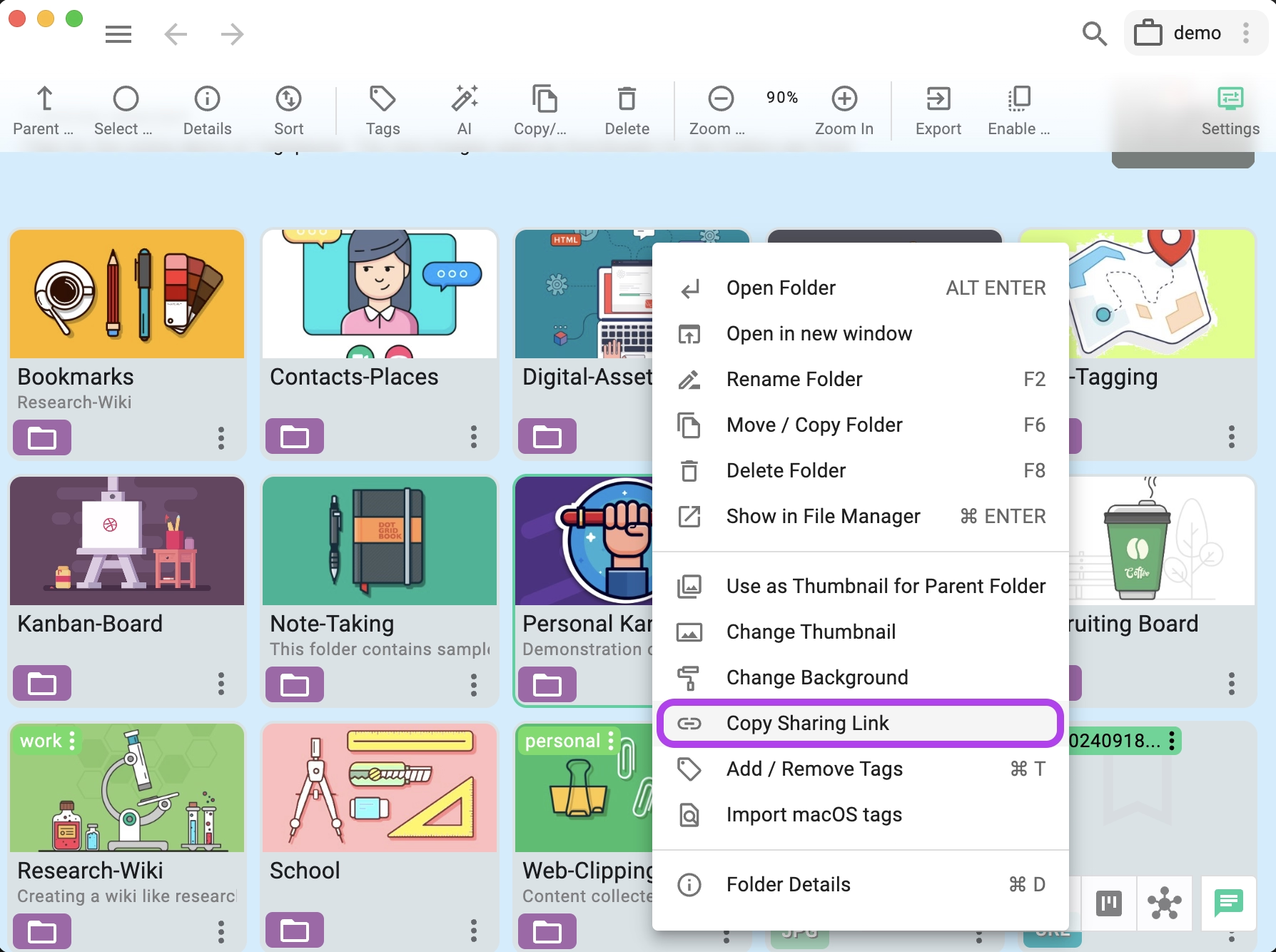
Once copied, you can paste the link into:
- The description field of any file or folder
- The content of a markdown or HTML file
- The search box to navigate directly to the linked entry
- An external application (email, chat) to share with other TagSpaces users
Inserting Links with the File Picker
Starting with version 6.12, links to other files and folders can be built directly with a file/folder picker dialog, instead of copying paths by hand. The picker resolves the target into a ts:// link or a relative path depending on the context, and inserts it at the cursor.
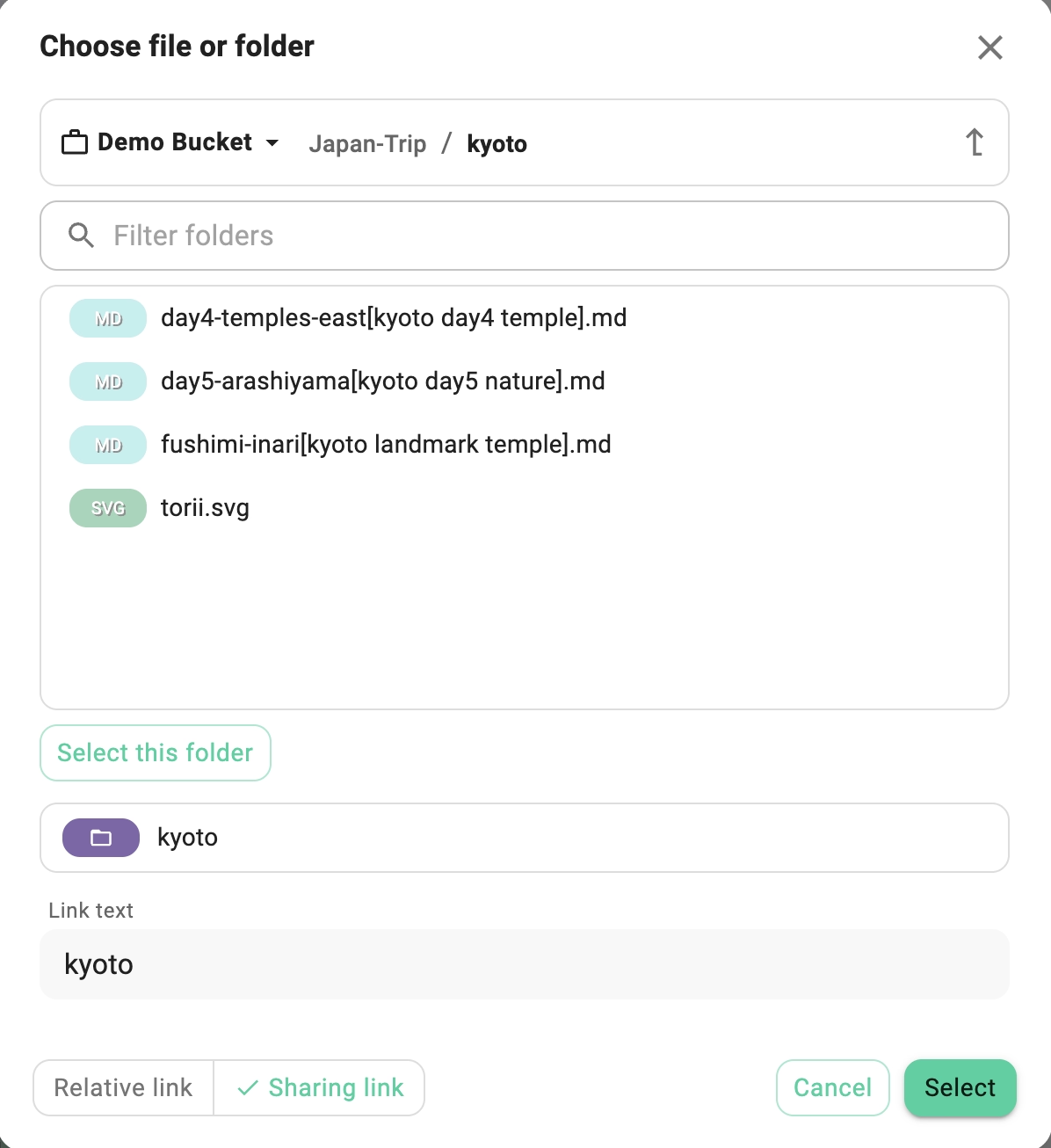
The picker is available from:
- The description editor of any file or folder — open the description, choose "insert link", pick the target, and the link is inserted into the Markdown of the description.
- The Markdown editor extension when editing
.mdand.mdxfiles. - The HTML editor extension when editing
.htmlfiles. - The standalone create link dialog.
Relative-link navigation (./other.md, ../folder/) resolves consistently across all surfaces, so a link built with the picker behaves the same whether it lives in a description, a Markdown note, or an HTML document.
Relative Path Links in Markdown and HTML
In addition to sharing links ts://, you can use relative paths to link between markdown and HTML files. This works the same way as linking in a static website or wiki — the path is resolved relative to the current file's location.
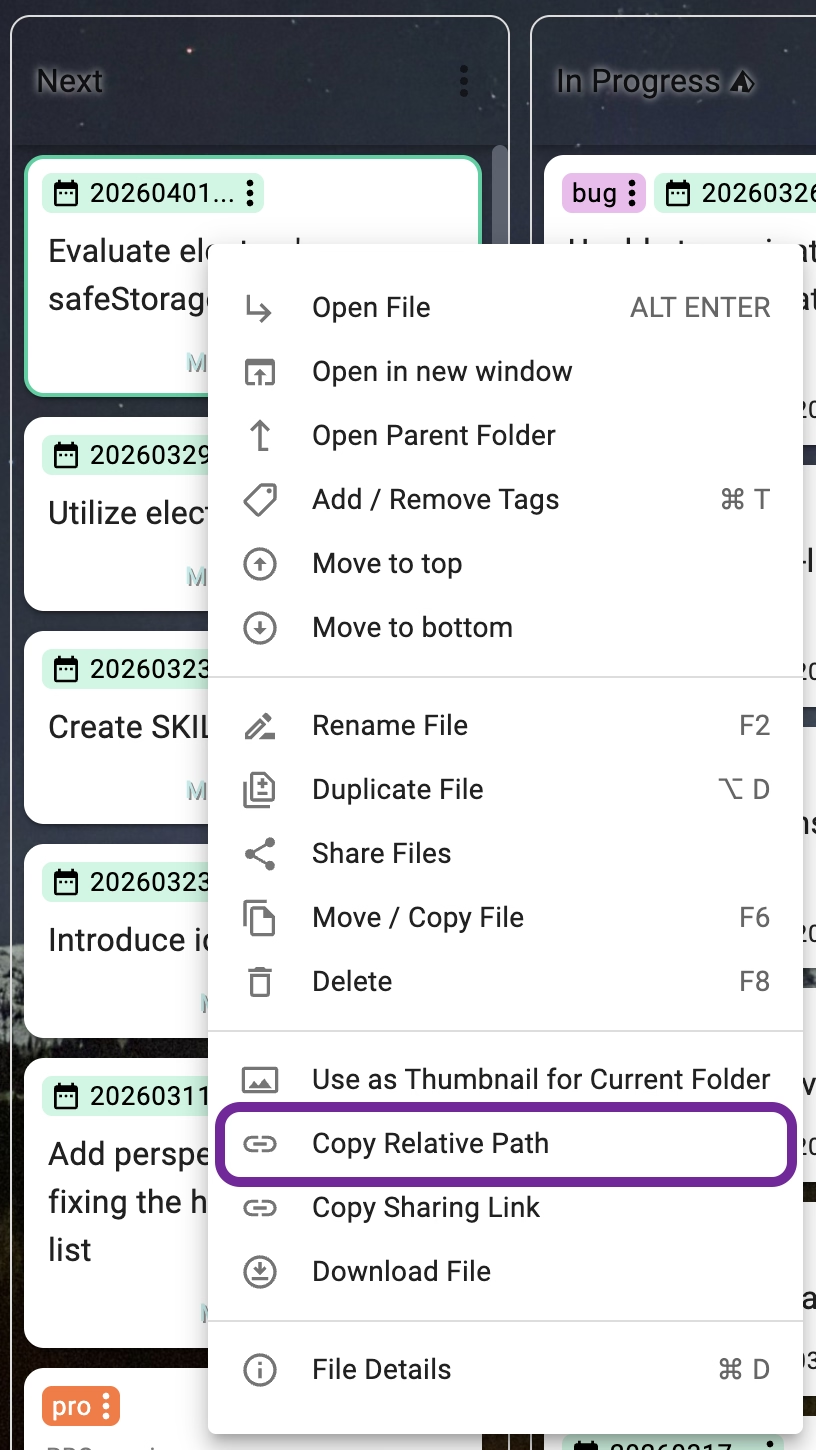
You can copy the relative path from the file and folder context menu. This feature is available in the Grid, List, and Kanban perspectives.
Markdown examples
<!-- Link to a file in the same folder -->
[Meeting Notes](./meeting-notes.md)
<!-- alternatively -->
[Meeting Notes](meeting-notes.md)
<!-- Link to a file in a subfolder -->
[Project Plan](./projects/plan.md)
<!-- Link to a file in a parent folder -->
[Overview](../overview.md)
<!-- Link to an image in a subfolder -->

HTML examples
<!-- Link to a file in the same folder -->
<a href="./meeting-notes.html">Meeting Notes</a>

<!-- Link to a file in a subfolder -->
<a href="./projects/plan.html">Project Plan</a>

<!-- Embed an image with a relative path -->
<img src="./images/diagram.png" alt="Diagram" />
Clicking a relative link in the markdown editor or HTML viewer will open the target file directly in TagSpaces.
Relative path links are portable — they continue to work when the entire folder is moved, synced, or shared, as long as the internal folder structure is preserved. This makes them a good choice for wiki-like setups and project documentation.
Links in the Web Versions
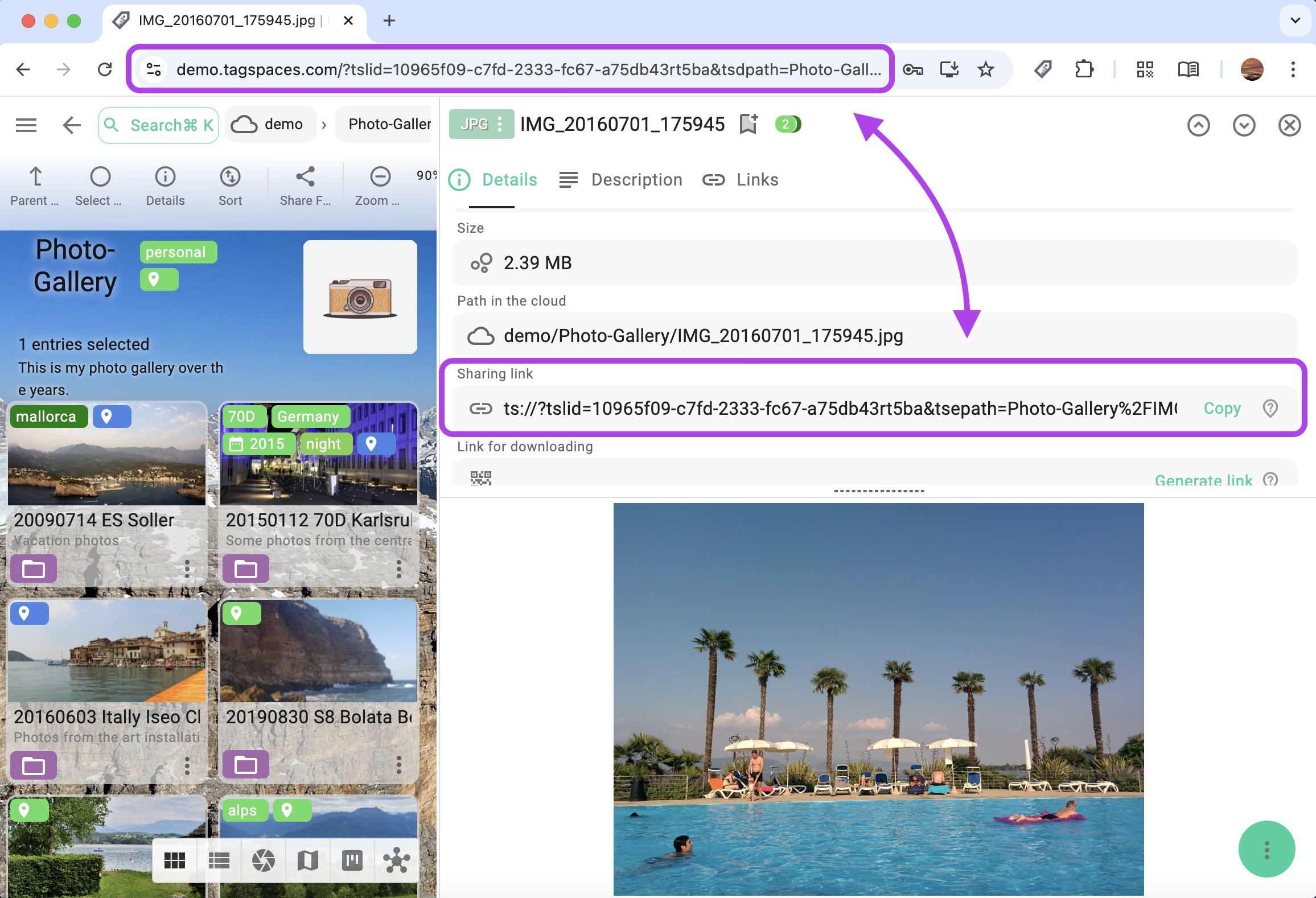
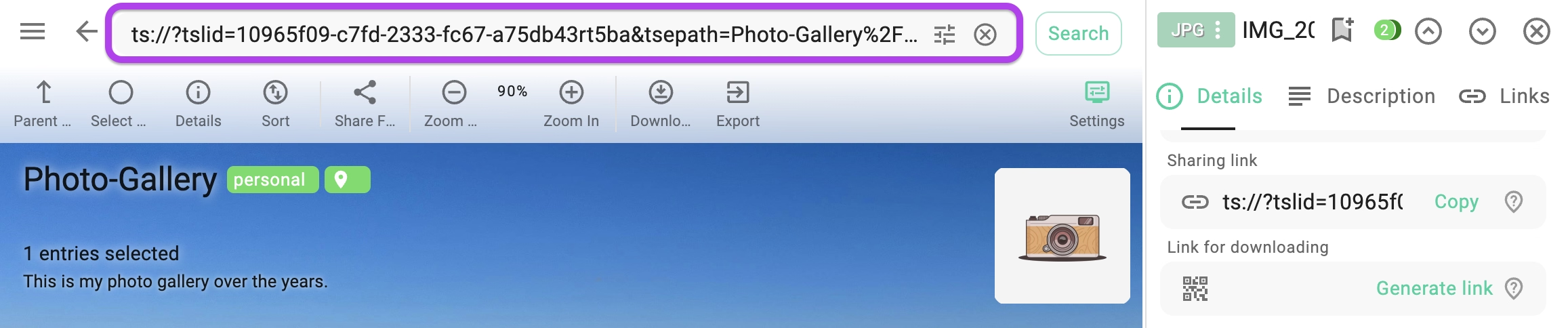
Users of the web versions can copy the URL directly from the browser address bar. This has an advantage: the recipient can open the same file directly in their browser without needing the desktop app.
Opening Links from the Search Box
If you receive a TagSpaces link (e.g. via email or chat), you can paste it into the search box and press Enter. TagSpaces will navigate to the location, folder, or file the link points to.
Location IDs
When sharing links between TagSpaces users, the locations in each installation must have the same location ID — otherwise the links will not resolve. This also applies to locations synced with services like Dropbox or Syncthing.
You can view and change a location's ID in its properties dialog:
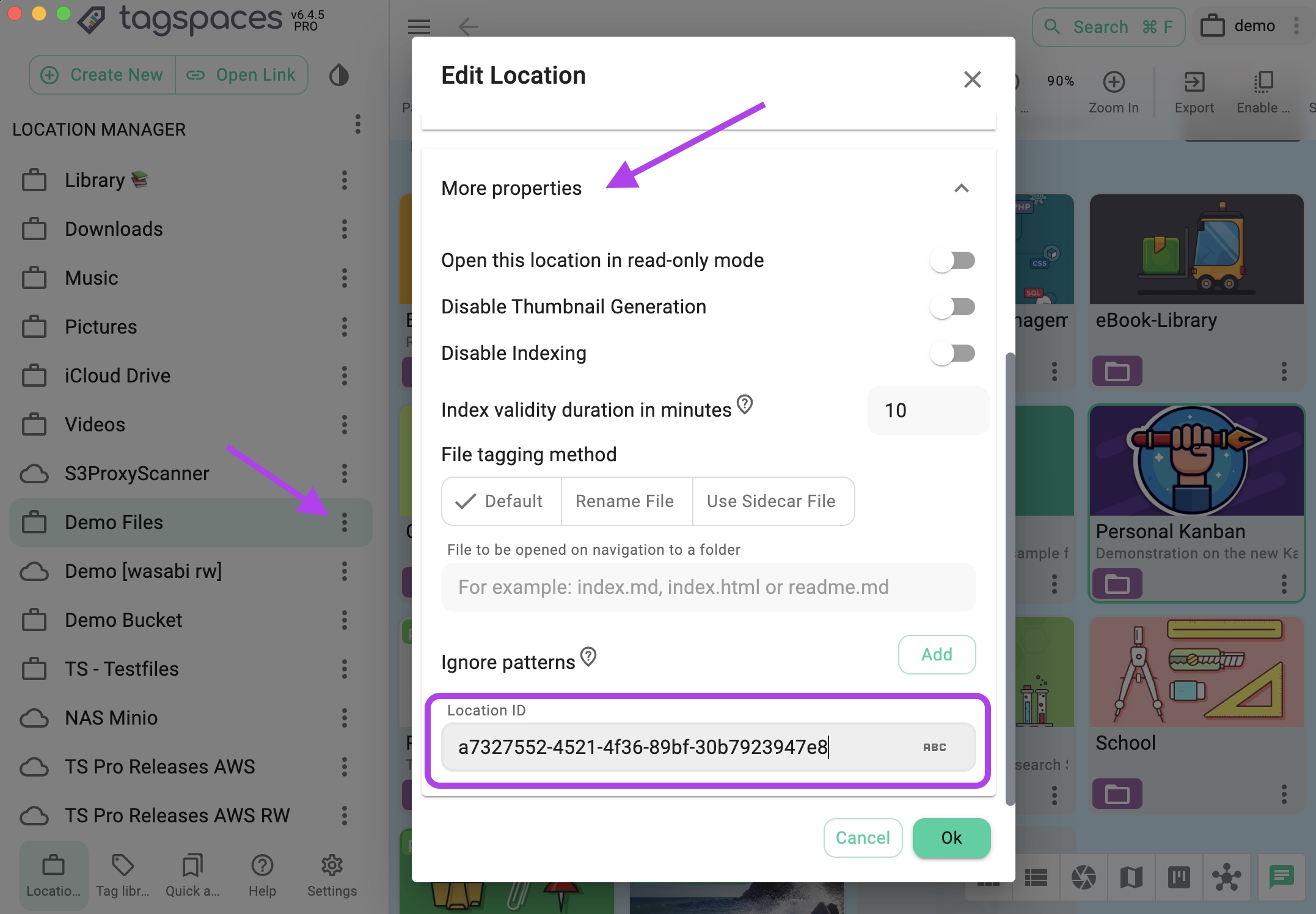
For S3 locations, ensure that the location connects to the same subfolder of the connected bucket.
Link Format Reference
TagSpaces internal links use the ts:// protocol. There are three link types:
ts://?tslid=53ea7417-4f7c-9c25-dc44aa41f6c8
ts://?tslid=53ea7417-4f7c-9c25-dc44aa41f6c8&tsepath=%2FMyHome%2Ftodos%5B202109%5D.md
ts://?tslid=53ea7417-4f7c-9c25-dc44aa41f6c8&tsdpath=%2FPersonal%20Knowledge
URL parameters
| Parameter | Description |
|---|---|
ts://? | Protocol prefix indicating a TagSpaces link |
tslid | The location ID |
tsepath | URL-encoded relative path to a file |
tsdpath | URL-encoded relative path to a folder |
tseid | The unique ID of a file or folder |
If a linked file or folder has been renamed or moved, the link will not resolve directly. However, TagSpaces will attempt to open the valid part of the link (e.g. the location). If the link contains a tseid, the application will offer to search for the entry by its ID — if it still exists in the location, it will be found.
In version 5.1, the protocol prefix was changed from ts:? to ts://? for better compatibility. Links created with the older ts:? format are still supported.