Map Tile Servers
TagSpaces shows interactive maps in two places:
- the Mapique perspective — for browsing geo-tagged folders and files on a map, and
- the geo-location preview in a file's properties panel — for any entry tagged with coordinates.
Both rely on a map tile server — a service that provides the small image tiles that compose the map. TagSpaces does not bundle map data; it loads tiles on demand from a server you configure.
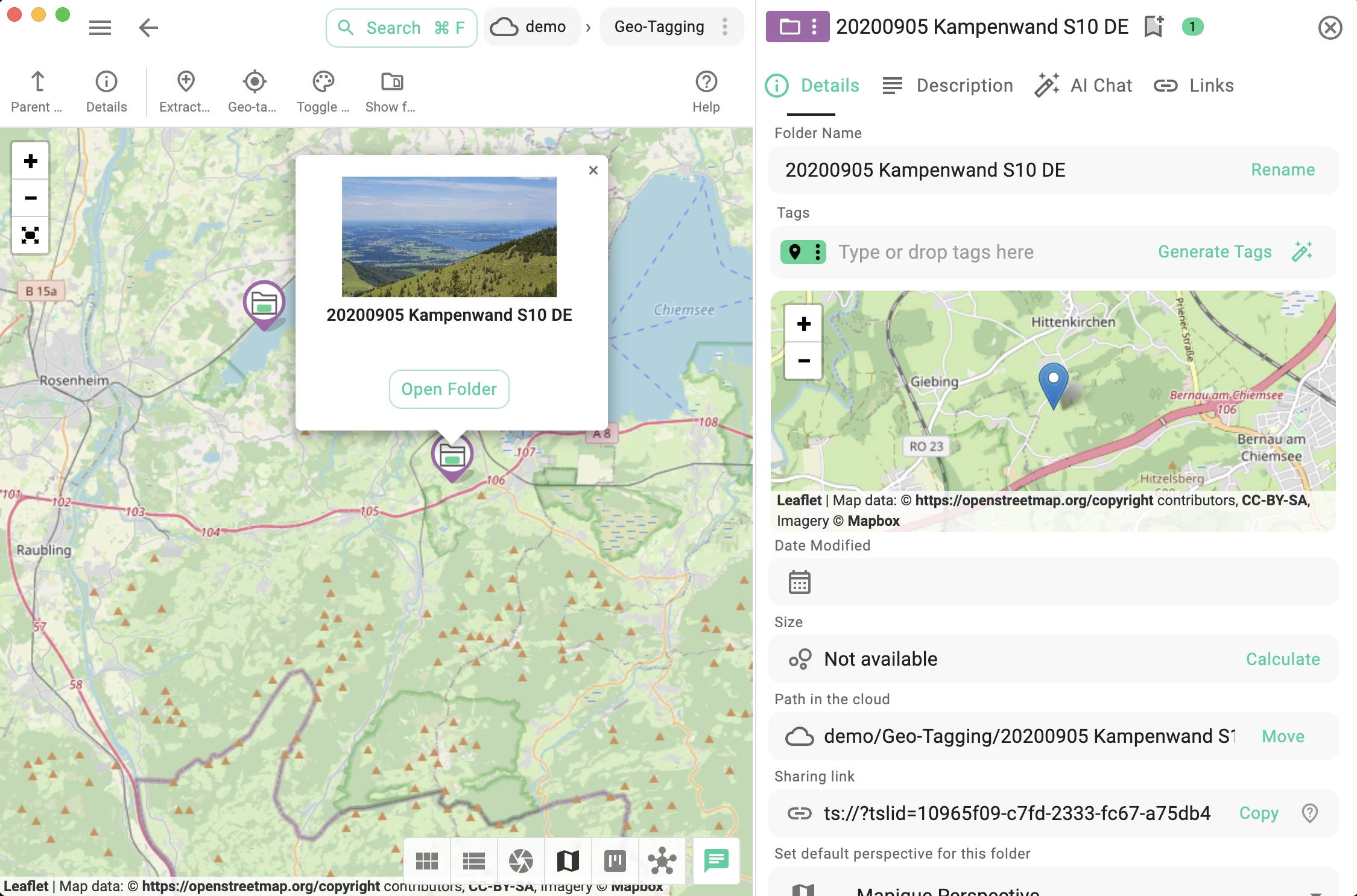
Default tile server
Out of the box, TagSpaces uses the free OpenStreetMap raster tile service. It works without any account or key, but its servers are operated for community use and have strict request limits — they are not intended for heavy or commercial usage.
The default URL pattern is:
https://tile.openstreetmap.org/{z}/{x}/{y}.png
For real-world use you will usually want to switch to a higher-traffic service or your own self-hosted server.
Adding or switching tile servers
You can manage tile servers from three places, all using the same dialog:
- From Settings → Advanced → Map tile servers — see the Advanced settings.
- From the palette dropdown in the Mapique perspective toolbar — lists every configured server with the active one checked, plus an Add Map Tile Server entry below a divider.
- From the Add Map Tile Server button shown directly inside the map area when no server is configured yet (visible in the file properties geo preview and in the Mapique perspective).
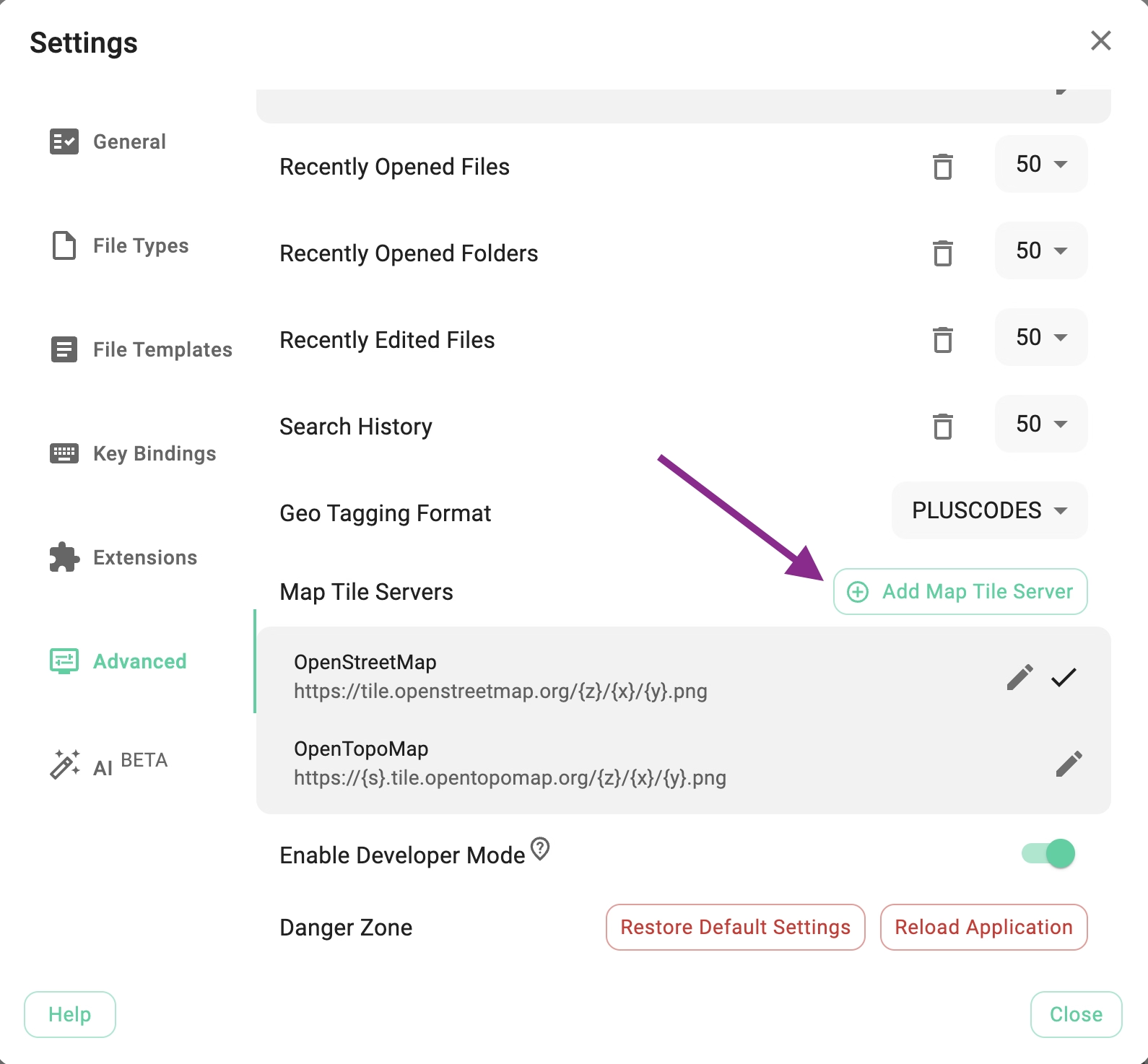
The Add/Edit Map Tile Server dialog has the following fields:
- Server Name — a display name (e.g.
OpenStreetMap). - Server URL — the tile URL pattern using
{z},{x},{y}placeholders. - Copyright / Attribution — copyright/credit text shown on the rendered map (HTML allowed).
- Set as default — toggle if this server should become the default for new map views.
The dialog also offers a Use OpenStreetMap quick-fill button that pre-populates the form with the public OSM defaults after a short privacy notice, so the default service can be added in two clicks.
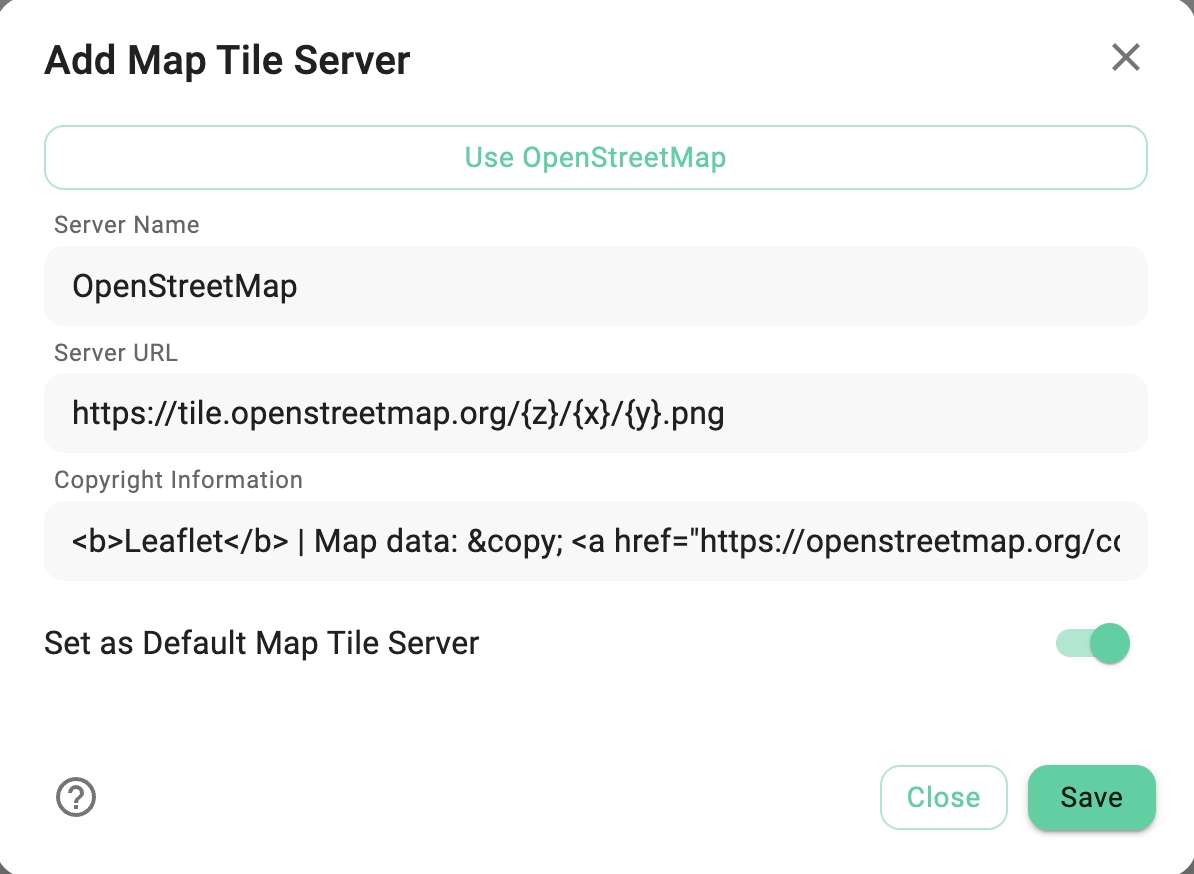
In the Mapique perspective, the active server is marked with a check icon, and clicking another entry in the dropdown switches the map immediately — no settings round-trip needed.
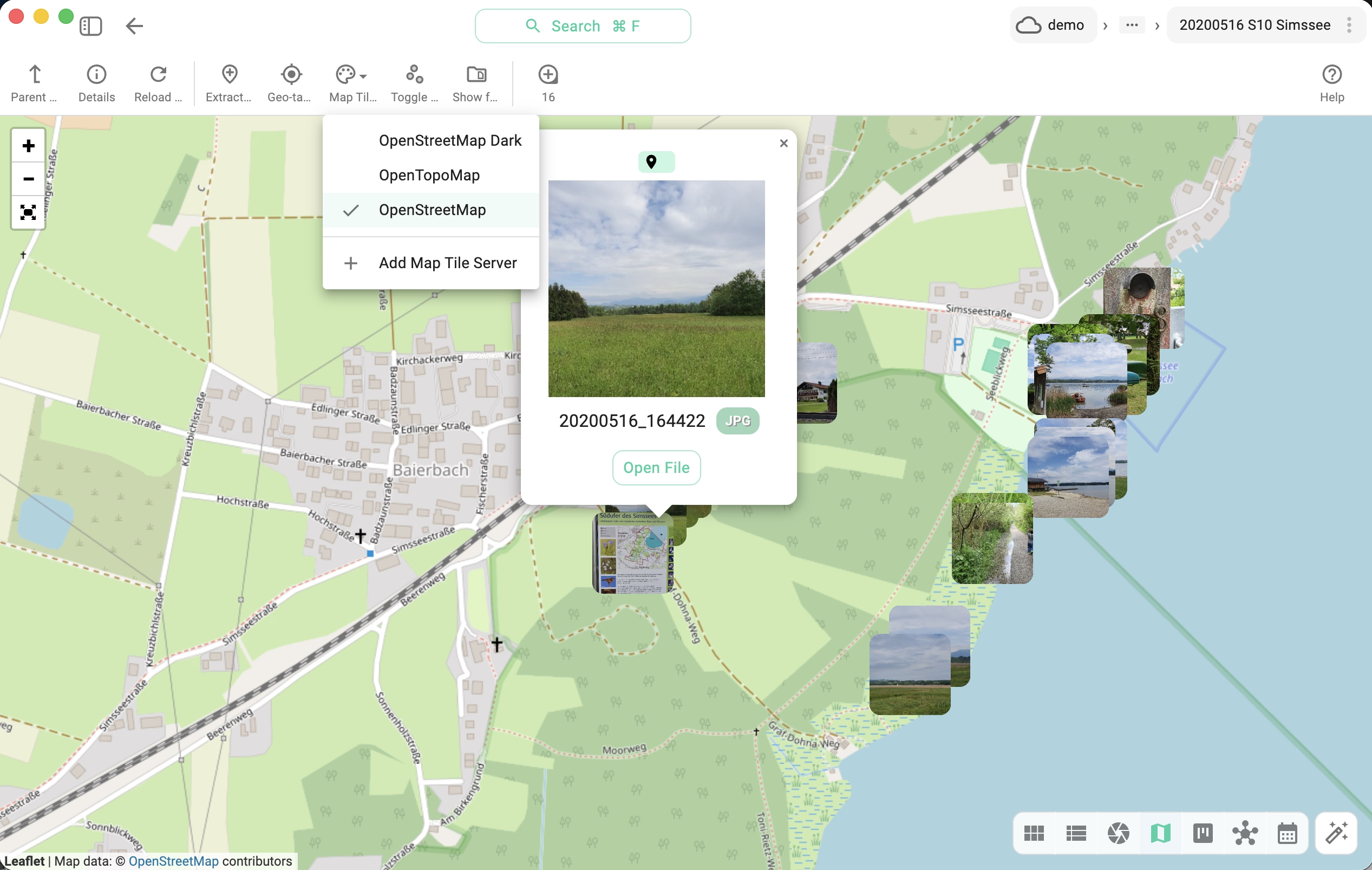
Free tile servers worth trying
Any OpenStreetMap-compatible raster tile service can be used. Two solid free starting points:
OpenStreetMap (default)
General-purpose street maps. Subject to the OSM Tile Usage Policy.
https://tile.openstreetmap.org/{z}/{x}/{y}.png
<b>Leaflet</b> | Map data: © <a href="https://openstreetmap.org/copyright">OpenStreetMap</a> contributors
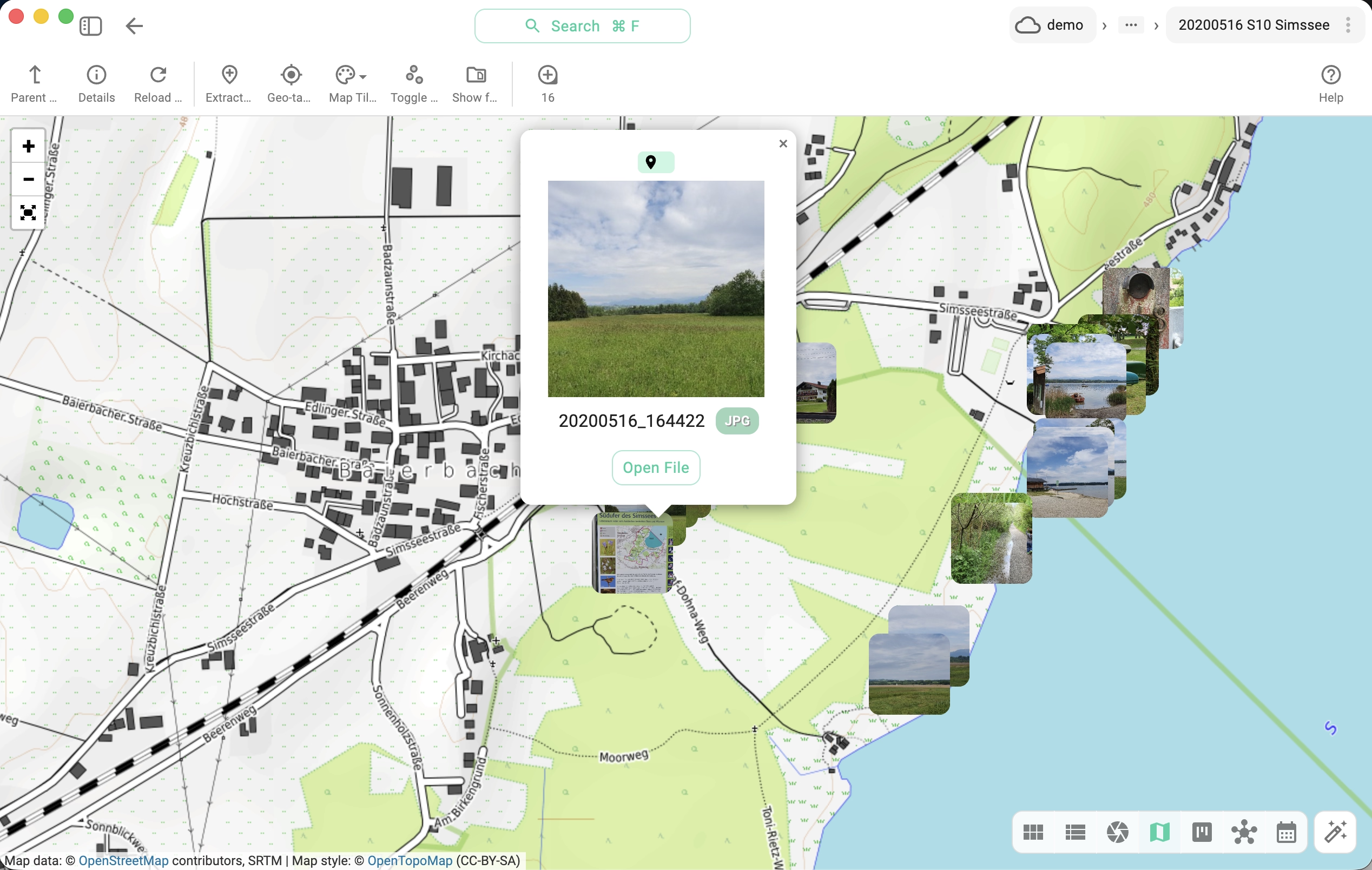
OpenTopoMap
A free topographic map style — useful for hiking, outdoor planning, or any geo-tagged content where elevation and terrain matter. Trails and topographic detail. Review the OpenTopoMap usage policy before relying on it heavily.
https://{s}.tile.opentopomap.org/{z}/{x}/{y}.png
Map data: © <a href="https://openstreetmap.org/copyright">OpenStreetMap</a> contributors, SRTM | Map style: © <a href="https://opentopomap.org">OpenTopoMap</a> (CC-BY-SA)
More free providers
The OpenStreetMap wiki maintains a curated list of public raster tile services — many free or with generous community quotas:
Always read each provider's terms of use and required attribution before adding it to TagSpaces.
Custom commercial or self-hosted servers
For production use — heavy request volumes, an offline workflow, or a custom map style — you typically want either:
- a paid hosted service such as MapTiler, or
- a self-hosted OpenStreetMap tile server (for example via openstreetmap-tile-server).
Both flows are walked through step by step in the dedicated tutorial:
Always respect the policies and terms of use of the map tile provider you configure. The free public OpenStreetMap and OpenTopoMap servers are operated for community use and are not suitable for high-volume or commercial workloads.